Filters you can read at a glance.
A filtering pattern for large data tables: choose a field, an operator and the values, then see every active filter as readable chips, grouped by field, with room for many values without losing control.
- Role
- Senior UX/UI Designer
- Pattern
- Filter bar, value picker, filter chips
- Demo data
- A catalogue of Milan restaurants
- Tools
- Figma
The problem
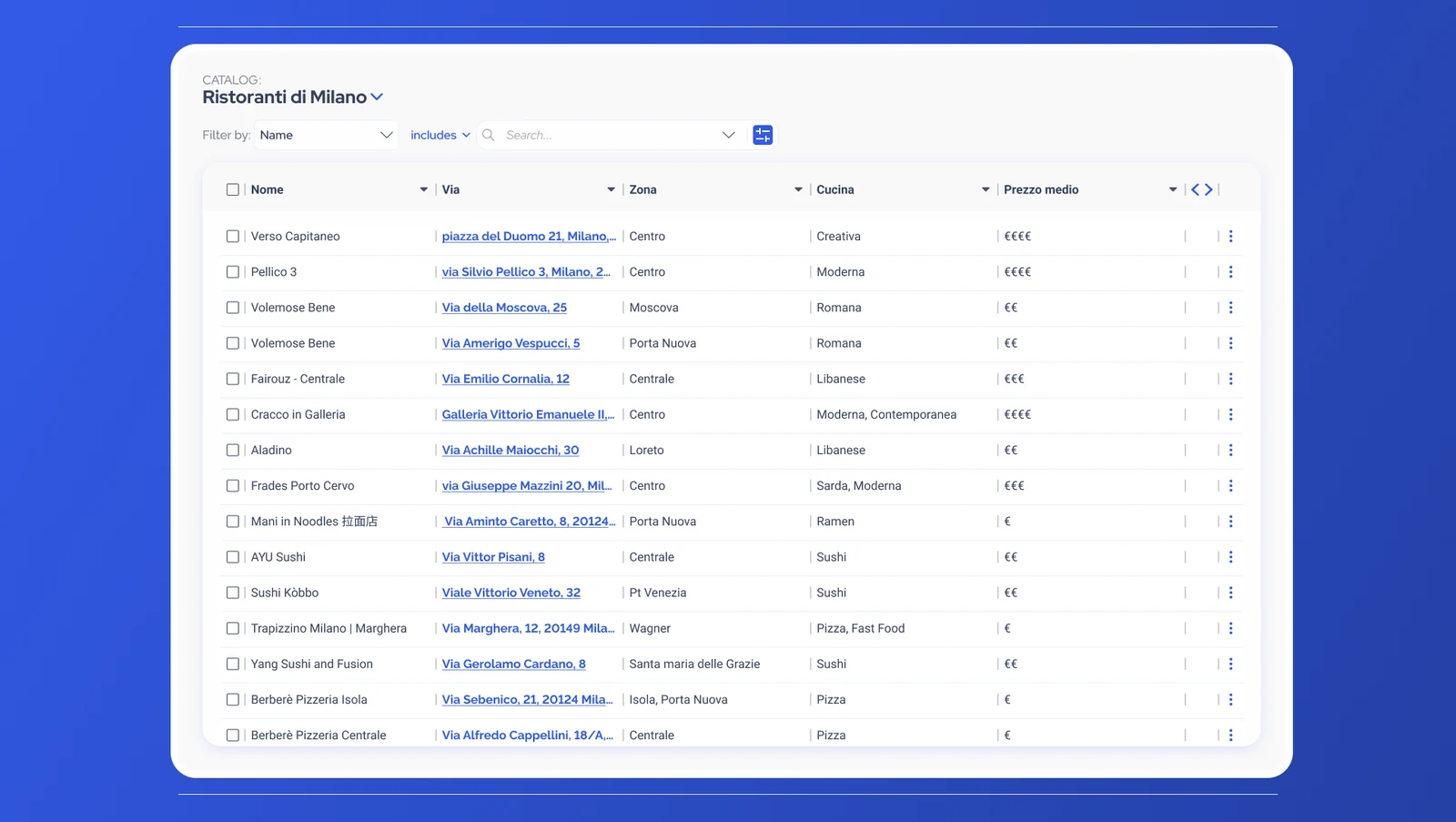
Enterprise tables hold thousands of rows, and people narrow them down with several filters at once. When filters are hidden or hard to read, people lose track of what is applied, can’t tell why a row is missing, and start over just to change one value.
Building a filter: field, operator, values
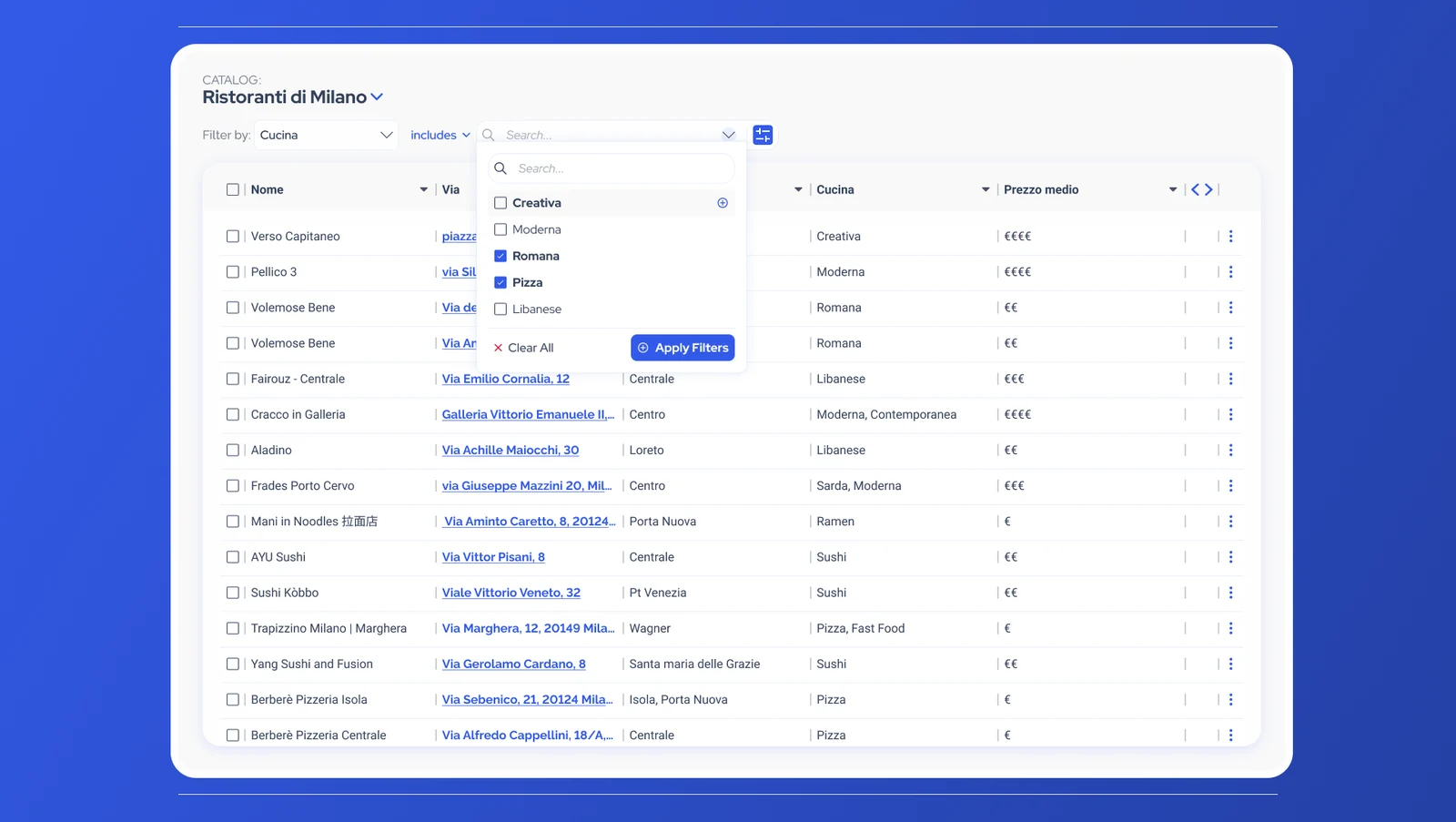
A filter is built the way you would say it: Cucina includes Romana and Pizza. Each part has its own control, so the logic is always visible.
Field first
Filter by any column of the table, chosen from a list.
Explicit operator
The rule is written out, such as “includes”, instead of being implied.
Searchable values
Values are found by typing and picked several at a time.
Apply on purpose
The table changes when you apply, not at every click. Clear All resets the selection.
Reading what’s applied
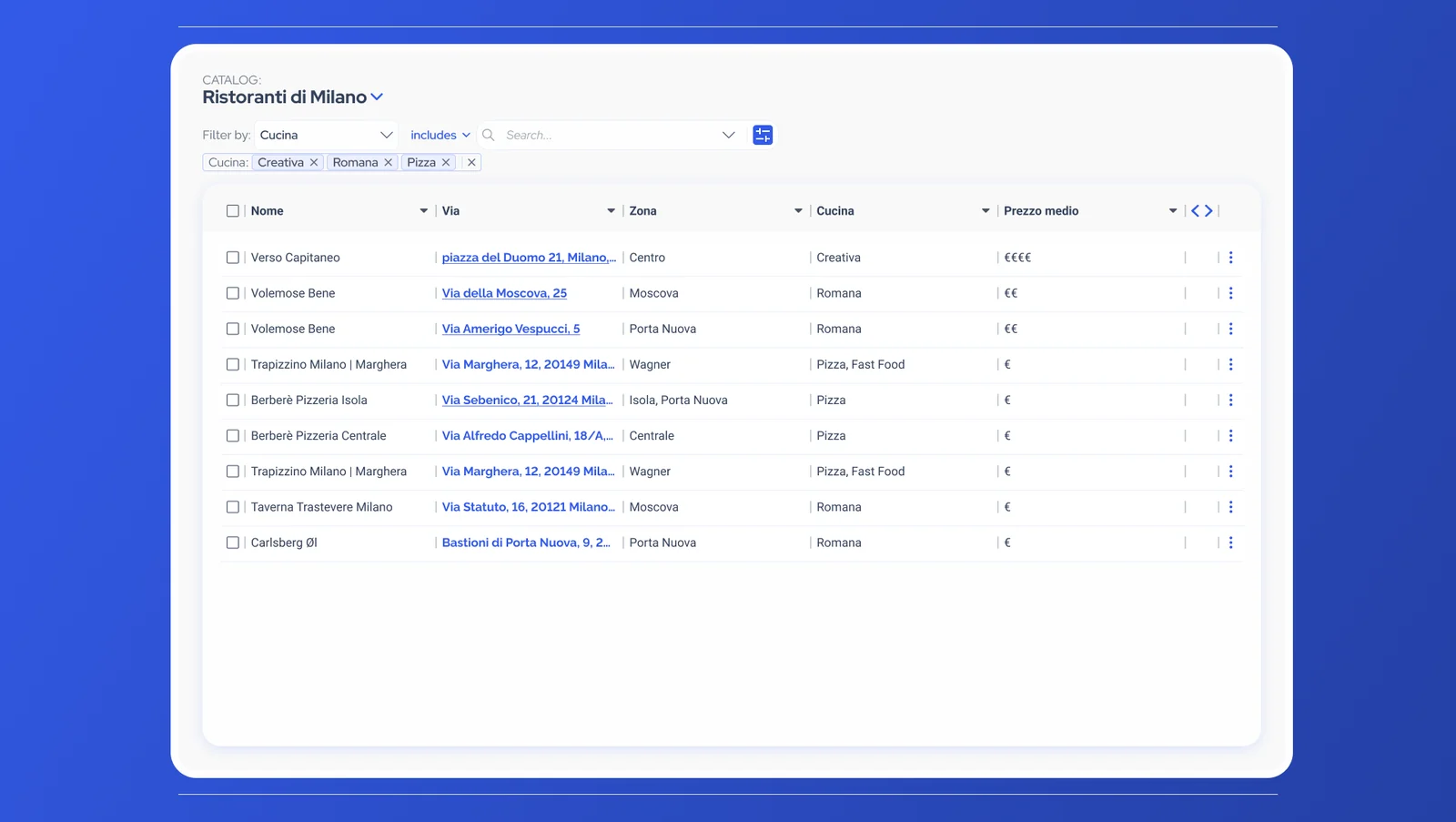
Once applied, a filter becomes a group of chips under the bar. People can always see why the table shows what it shows, and undo any part of it.
Grouped by field
Values that belong together stay together: “Cucina: Creativa, Romana, Pizza”.
Remove one value
Every value has its own ×, so one change doesn’t mean starting over.
Remove the group
A separate × clears a whole field in one step.
When there are many values
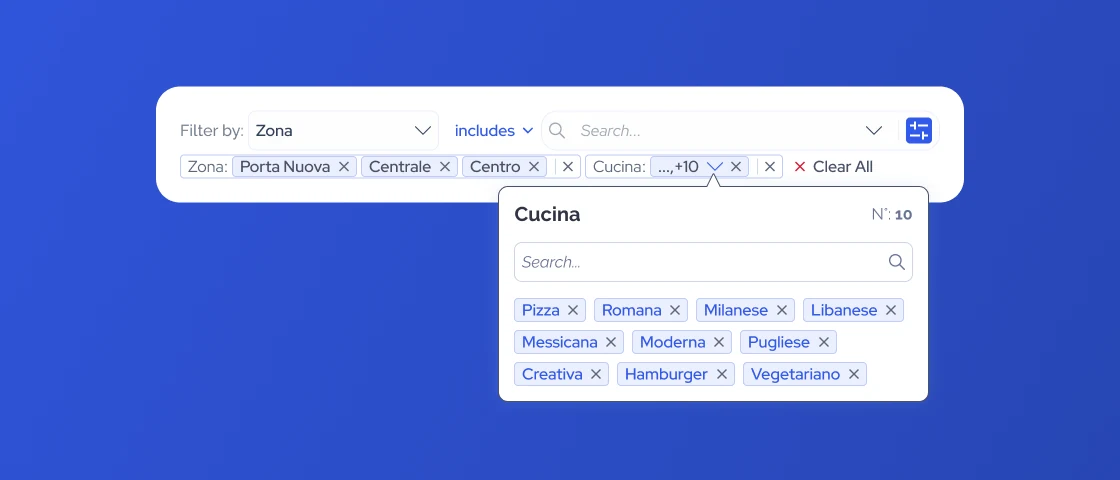
Real filters grow. Ten cuisines in one group would push everything else off the bar, so the pattern has to scale without losing legibility.
Collapse, don’t hide
A long group collapses to “…, +10”, so the bar keeps its shape and every field stays visible.
Open on demand
The group opens in a panel that shows the count, a search and every value, each removable.
One way out
Clear All removes every filter across all fields.
This is the state shown in the image at the top of the page.